
This feature allows you to seamlessly share pentest findings into your JIRA project and ensuring remediation tasks are tracked and managed within the same system your team already uses.
Setting up JIRA Integration-
-
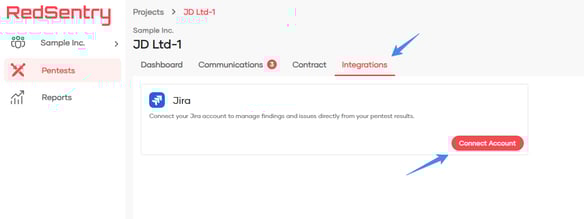
Navigate to Integrations
-
From the Engagements list, choose an engagement
-
Then, Select the Integrations tab.
-
-
Add JIRA Account Details
-
Click Connect Account under JIRA.
-
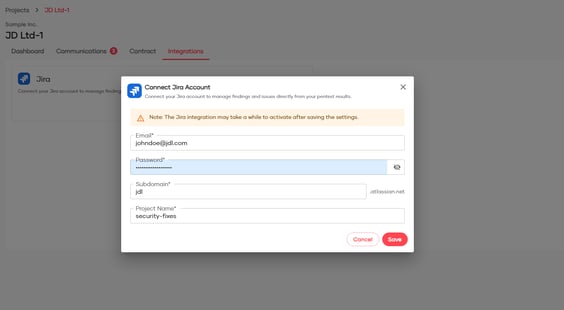
Fill in the following details:
-
Email: Your JIRA account email.
-
Password: Your JIRA account password.
-
Subdomain: Your JIRA subdomain (e.g.,
yourcompany.atlassian.net). -
Project Name: The JIRA project where you want to create tickets.
-
-
-
Pending Review
-
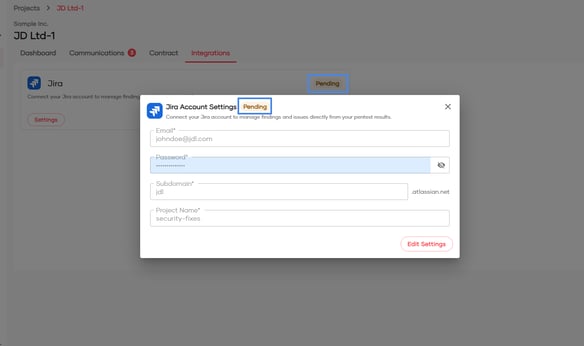
Once submitted, your integration will show as Pending. Our Support/Ops team will review and verify the configuration.
-
-
Activation
-
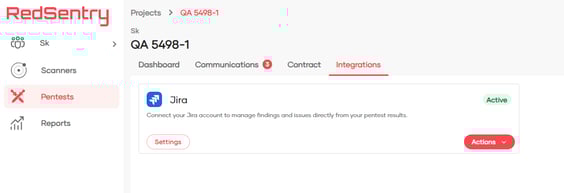
Once our Support/Ops team reviews configuration and completes required steps for integration, the status changes to Active.
-
You’ll receive an email confirmation when the integration is Active.
-
Note
JIRA integration is configured per engagement. This means setup must be done individually for each engagement.
Once the integration is active, findings from all assessments within that engagement can be shared to JIRA.
⚠️ Important: Updating JIRA Integration Settings
-
If you update the integration settings while the status is Active, the status will automatically change back to Pending.
-
This is because the updated configuration must be reviewed by the Ops team to ensure the Red Sentry → JIRA integration works smoothly.
-
You do not need to contact Support after making updates, the platform automatically notifies the Ops team.
-
Once the review is complete, the integration status will return to Active, and you’ll receive a notification confirming you can resume sharing findings to JIRA.
Sharing Findings to JIRA
Once your integration is active, you can:
-
Sharing Single Finding to JIRA
-
Navigate to a assessment and open the Results tab to access the findings
-
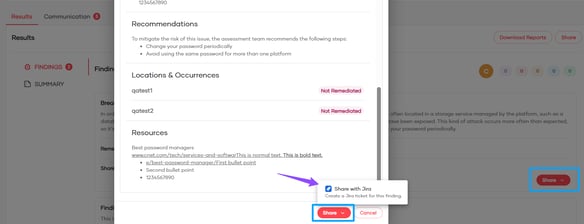
Click Share on the findings card or within the finding details. Then choose Share with JIRA.
-
-
Sharing Multiple Findings to JIRA
-
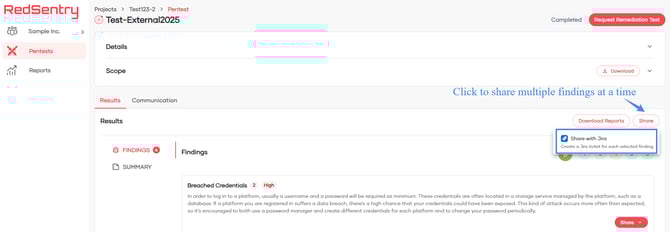
Navigate to the Assessment page -> Results tab. Click Share button
-
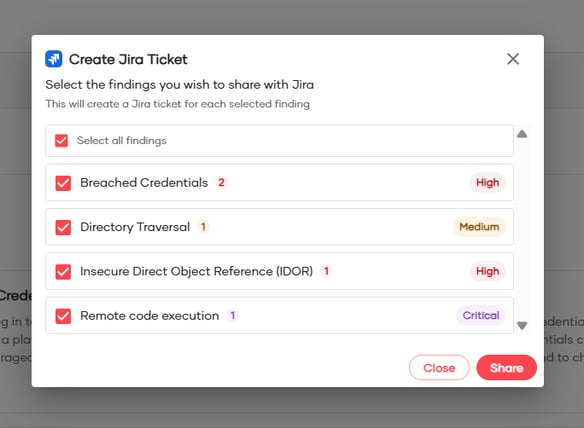
Click the Select all findings check box, or choose specific ones to share to your JIRA project.
-
Information Added to JIRA Tickets
When you share a finding from Red Sentry to JIRA, the following details are automatically included in the JIRA ticket:
- Ticket Type: Created as a Task
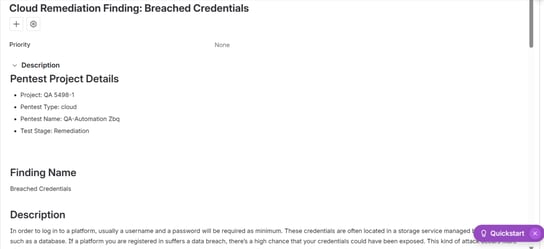
- Ticket Title: <Test Type> <Pentest / Remediation> Finding : <Finding title>
For eg., Cloud Remediation Finding : Breached Credentials - JIRA Ticket description:
- Pentest Project Details: Project Name, Pentest Type, Pentest Name, Test Stage : <Pentest or Remediation>
- Finding Name: Finding Name
- Description: Finding Description,
- Environment Specific Details
- Steps to Reproduce
- Recommendations
- Locations & Occurrences - Location specific status and notes will be available if it is a Remediation finding
- Resources
- Attachments: All the images from the findings are automatically added as ticket attachments.
After Sharing Findings
Once you share findings to JIRA, the platform provides clear feedback so you can confirm the action:
-
Confirmation Message – A success message appears on the screen when a finding is successfully shared to JIRA.
-
Error Message –
-
If sharing fails, an error message will be displayed with details of the failure.
-
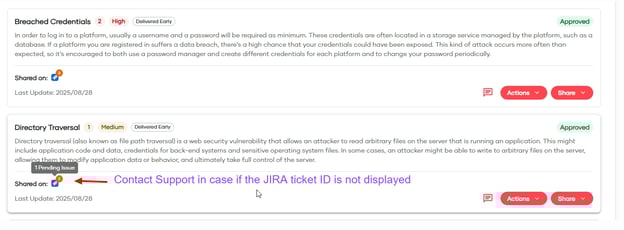
If you see JIRA icon as Pending Issue, then contact support for trouble shooting. Support team will review the configuration details and help in fixing this issue
-
-
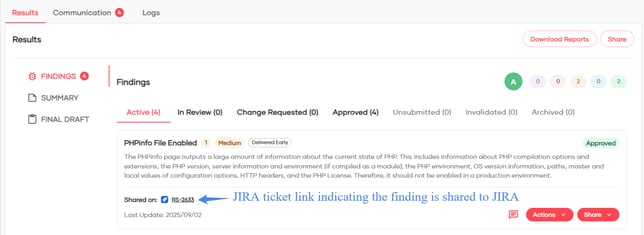
JIRA Tag – A tag is added near the finding in Red Sentry, indicating that it has been shared to JIRA.
-
Reshare Option – You can share a finding multiple times. (For example, if details were updated and need to be reflected in JIRA).
Managing the Integration
-
At any time, you can:
-
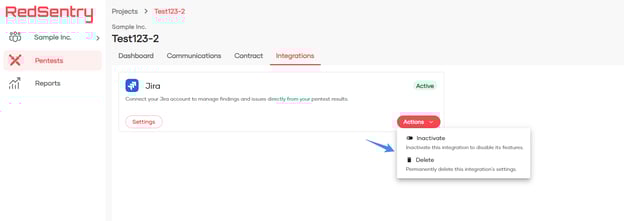
Inactivate the integration temporarily and reactivate later.
-
Delete the integration permanently.
-
Both options are available under the Integrations → JIRA section in your project.
✅ With this integration, remediation becomes faster, simpler, and directly aligned with your existing JIRA workflow.
Note:
- Currently the integration is supported only with Jira Software Cloud.
What's Next?
JIRA is the first step in expanding Red Sentry's integration. More integrations with popular tools will be added soon to further streamline your workflow.